If you’re looking to integrate advanced AI into your SEO audits, Anthropic’s Claude models offer a powerful alternative to traditional LLMs. With the Screaming Frog SEO Spider, you can now connect directly to Anthropic’s API and run real-time prompts against your crawl data—unlocking new insights in content evaluation, structure, and search intent.
Before diving into the setup, it helps to understand where this integration fits in a typical SEO workflow. Most teams use Screaming Frog as part of a broader content audit process that includes data from Google Search Console, Google Analytics, and tools like Ahrefs or Clearscope. Connecting Claude to your crawler doesn’t replace those data sources. It adds a layer of real-time AI analysis on top of your crawl data, so you can classify, evaluate, and flag content at scale without exporting to a separate tool. Think of it as automating the manual review step that usually happens after a crawl is complete.

This guide walks you through how to connect Anthropic (Claude) to Screaming Frog, configure AI prompts, and streamline your SEO workflow.
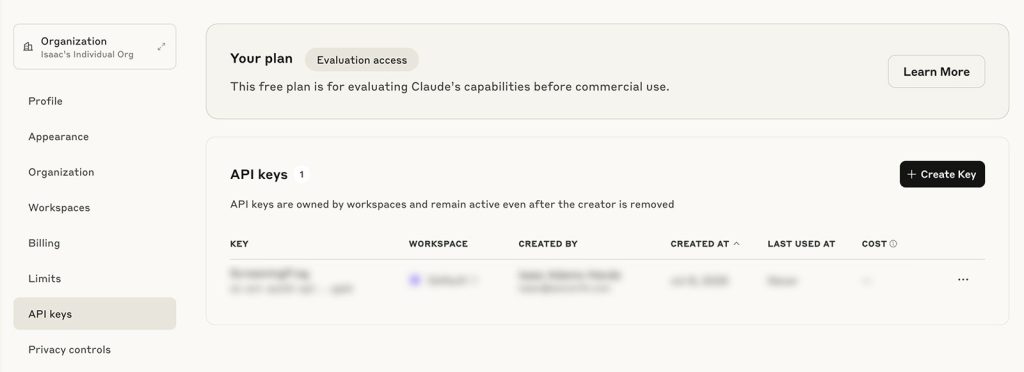
Step 1: Generate Your Anthropic API Key
Before connecting Screaming Frog to Anthropic, you’ll need to create a paid account through the official Build with Claude platform.
- Visit https://www.anthropic.com
- Click “Start Building” to create an account
- Once inside your account, navigate to Account Settings
- Generate an API Key
Copy the API key—you’ll need it for the next step.
Step 2: Connect Screaming Frog to Claude
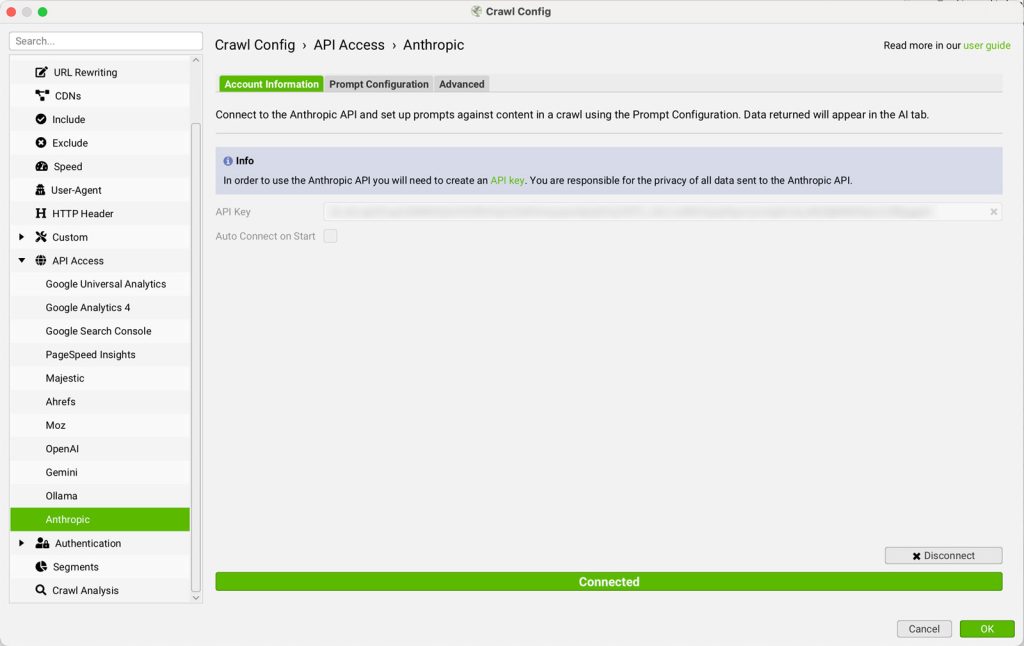
Open Screaming Frog and navigate to:
Configuration > API Access > AI > Anthropic
- Paste your API key into the API Key field under the Anthropic Account Information tab
- Click Connect to enable the integration for your next crawl
The connection is established locally and used during the crawl process for dynamic prompt evaluation.
Step 3: Set Up Custom Prompts
Once connected, head to the Prompt Configuration tab. Screaming Frog allows you to configure up to 100 AI prompts, which can be executed during a crawl to extract insights or perform specific tasks.
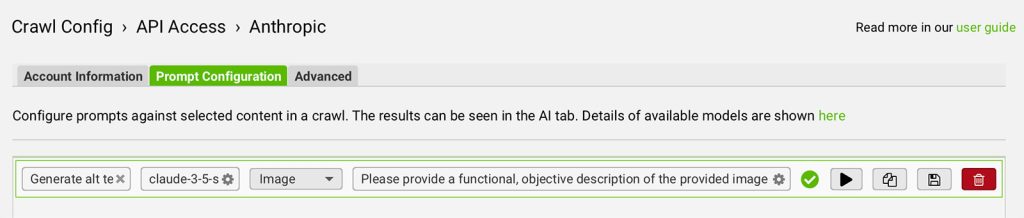
For each prompt:
- Choose the Claude model (e.g., claude-3-5-sonnet-latest)
- Select your input type—such as Page Text, HTML, or a custom extraction
- Write your prompt text—clear and specific instructions for what you want Claude to do
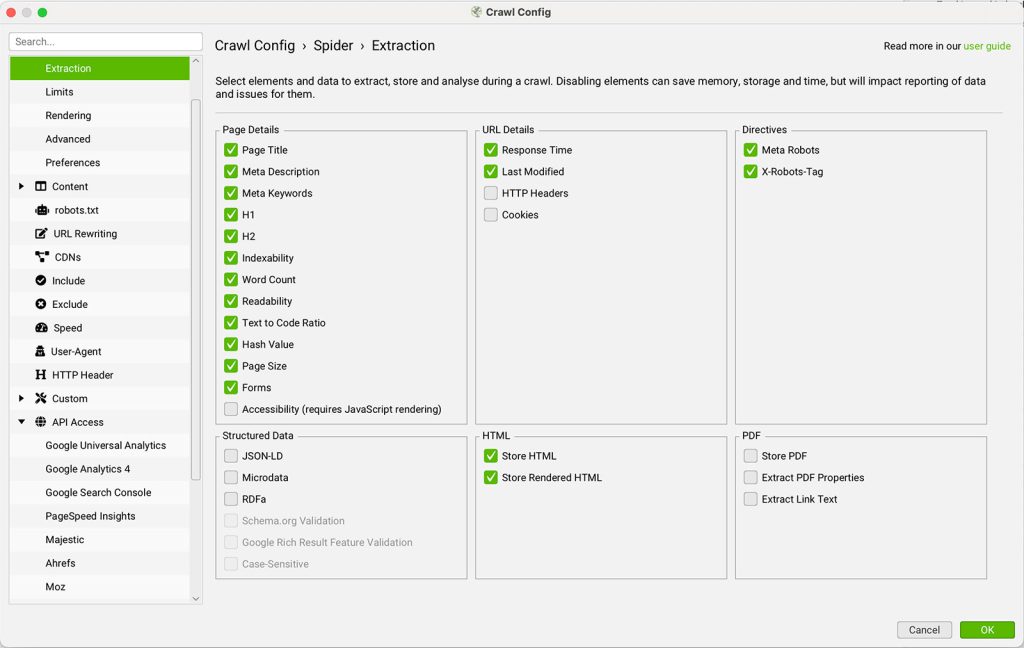
? To use “Page Text” or “HTML” as input, make sure to enable HTML storage by going to: Config > Spider > Extraction > Store HTML
Step 4: Test Your Prompt
Before running a full crawl, test your prompt for accuracy:
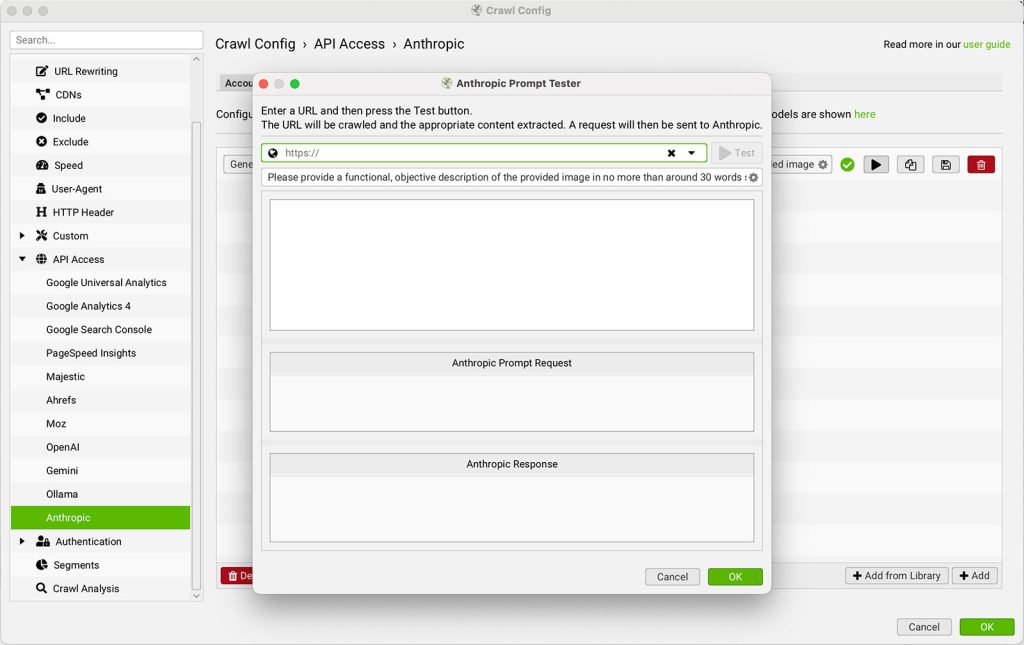
- Click the play icon beside your configured prompt
- Enter a sample URL into the Claude Prompt Tester
- Click Test to preview both the extracted input and Claude’s response
This is a great way to debug prompt behavior and fine-tune your setup.
Step 5: Run a Crawl and Analyze AI Output
With your prompts ready:
- Enter a target domain into the crawl field
- Hit Start
As the Screaming Frog SEO Spider crawls your site, it will automatically send designated content to Claude and return the AI responses in real time.
You can view prompt results in the:
- AI Tab (organized by prompt)
- Internal Tab (merged with standard crawl metrics)
This allows you to combine AI insights with your regular technical SEO data—perfect for scalable audits, content classification, and optimization planning.
Step 6: Use and Customize Prompt Templates
To get started faster:
- Click Add from Library to browse built-in prompt examples
- Switch to the User tab and click the + button to create or modify your own custom prompts
- Prompts can be exported and imported across projects using the icons in the library menu

Example Prompts to Get You Started
Here are a few practical prompts you can configure in Screaming Frog to run against your crawl data using Claude. Each one is designed to return a short, actionable response per URL.
Detect Thin Content
- Input type: Page Text
- Prompt: “Evaluate the following page content. If the content is under 300 words or lacks substantive, original information, respond with ‘Thin.’ If the content is detailed and informative, respond with ‘Sufficient.’ Provide a one-sentence reason for your classification.”
Classify Search Intent
- Input type: Page Text
- Prompt: “Based on the following page content, classify the primary search intent as one of the following: Informational, Navigational, Commercial, or Transactional. Respond with the intent type and a one-sentence explanation.”
Flag Keyword Cannibalization Risk
- Input type: Page Text
- Prompt: “Identify the primary keyword or topic this page targets based on the content provided. Respond with the keyword or phrase only. This will be used to compare against other pages on the same domain.”
Generate a Meta Description
- Input type: Page Text
- Prompt: “Write a meta description for this page in under 155 characters. It should accurately reflect the page content and include a natural call to action.”
Evaluate Content Structure
- Input type: HTML
- Prompt: “Analyze the heading structure (H1 through H4) of this page. Identify any issues such as missing H1 tags, skipped heading levels, duplicate headings, or headings that don’t reflect the page topic. Respond with a short list of findings.”
Each of these prompts will return results in the AI tab during your crawl, giving you a structured dataset you can filter, export, and act on.
Tip: Start by testing each prompt on 5 to 10 URLs using the Claude Prompt Tester before running a full crawl. This lets you refine the prompt wording and confirm the output format is consistent enough to work with at scale.
Conclusion
Integrating Anthropic’s Claude models with the Screaming Frog SEO Spider empowers your crawler with real-time AI processing, turning a traditional SEO audit into a smart, automated system. Whether you’re classifying page intent, generating content summaries, or evaluating structure, Claude can deliver contextual insights directly alongside your crawl data.
With full control over prompts, inputs, and targeting, this setup is ideal for search engine professionals, technical SEO specialists, and digital marketers looking to scale AI-enhanced analysis with precision.
Now that Claude is connected, you’re ready to harness one of the most advanced LLMs available—right inside your audit workflow.
FAQ
How can I control my API costs? My crawl is running too many AI prompts.
Published on: 2025-07-15
Updated on: 2026-04-02
