The Screaming Frog SEO Spider allows you to go beyond traditional duplicate detection by leveraging LLM-based vector embeddings to identify semantically similar content and flag off-topic or low-relevance pages. This enables smarter SEO audits focused on improving content clarity, reducing keyword cannibalization, and optimizing internal linking.

This guide walks you through connecting an AI provider, setting up embeddings, and interpreting results to make meaningful improvements to your site structure.
1. Connect to an AI Provider for Embeddings
To get started, choose an AI provider to generate vector embeddings for your crawl data. Go to:
Config > API Access > AI
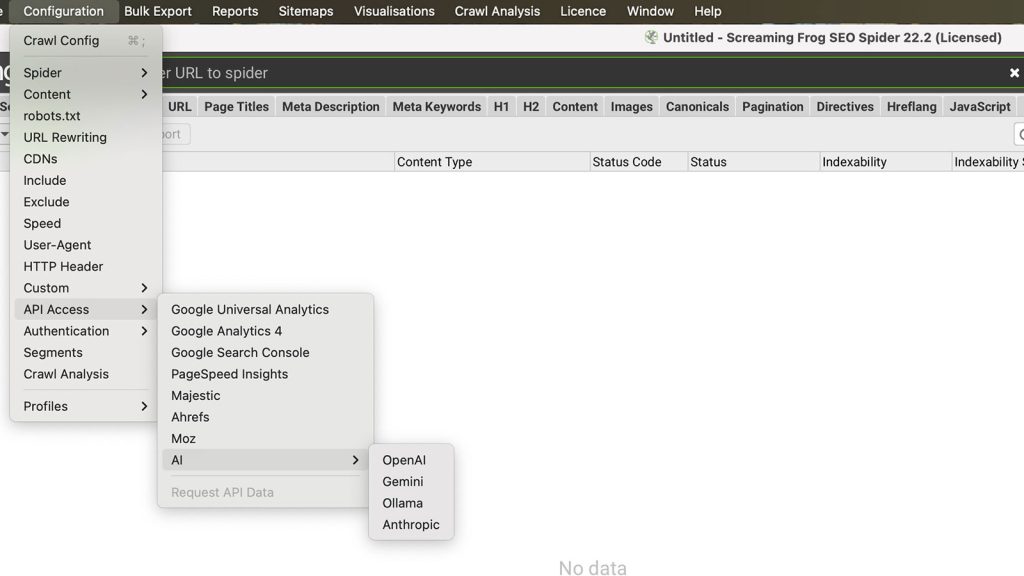
Screaming Frog supports OpenAI, Gemini, and Ollama. You’ll need an active account and API key for your provider of choice.
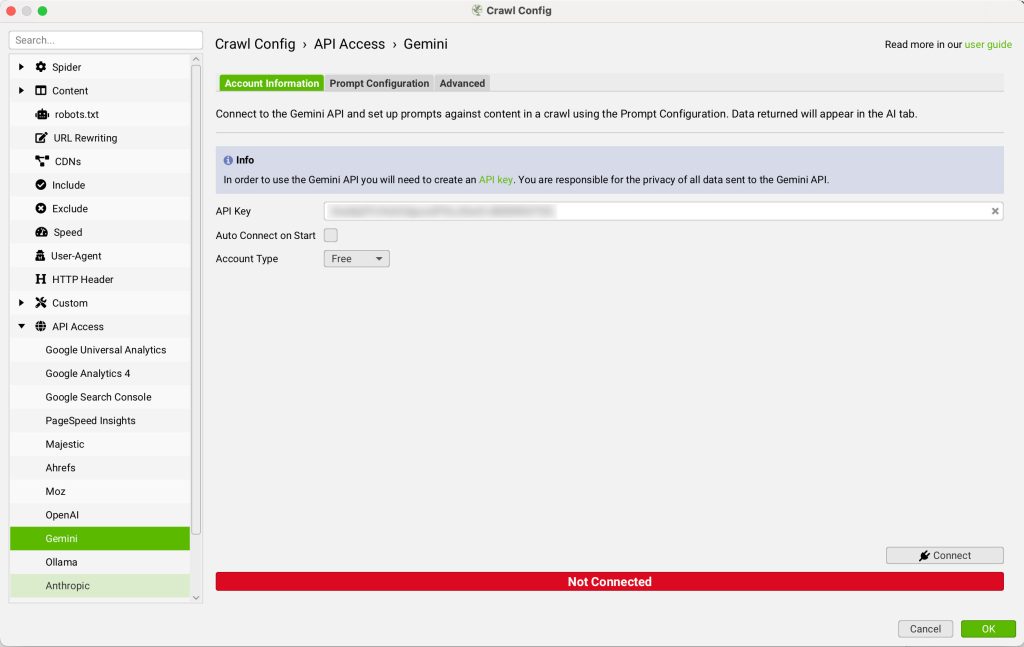
Tip: Gemini embeddings are recommended due to performance and native integration.
2. Add an Embedding Prompt
Navigate to:
Prompt Configuration > Add from Library
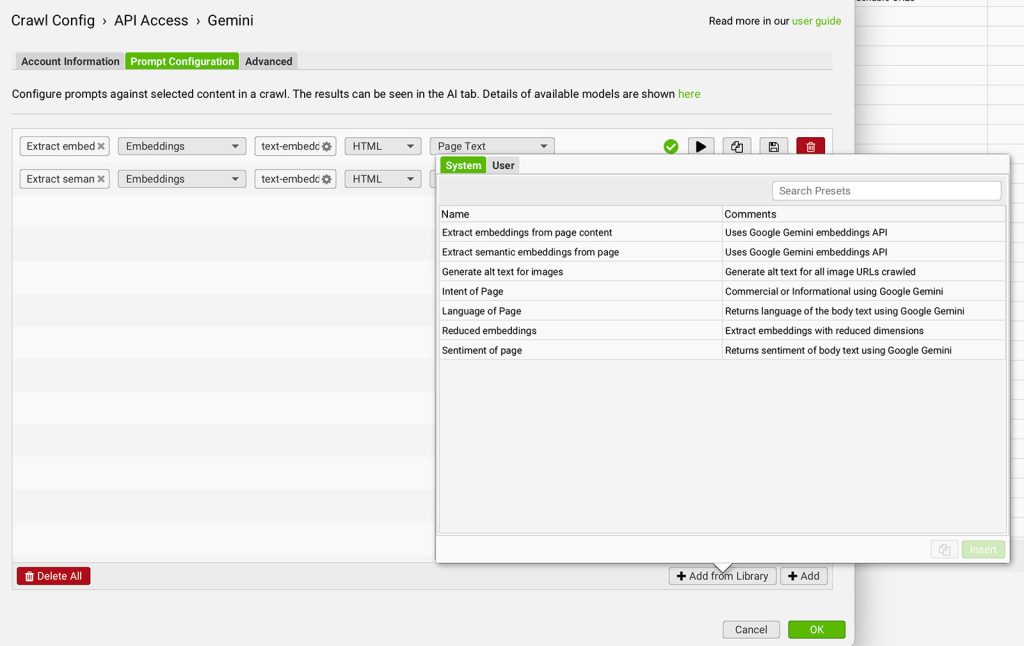
Choose the preset: “Extract Semantic Embeddings from Page”. This uses the SEMANTIC_SIMILARITY task and is optimized for analyzing page meaning and structure.
If you’re using Gemini, ensure ‘Store HTML’ is enabled:
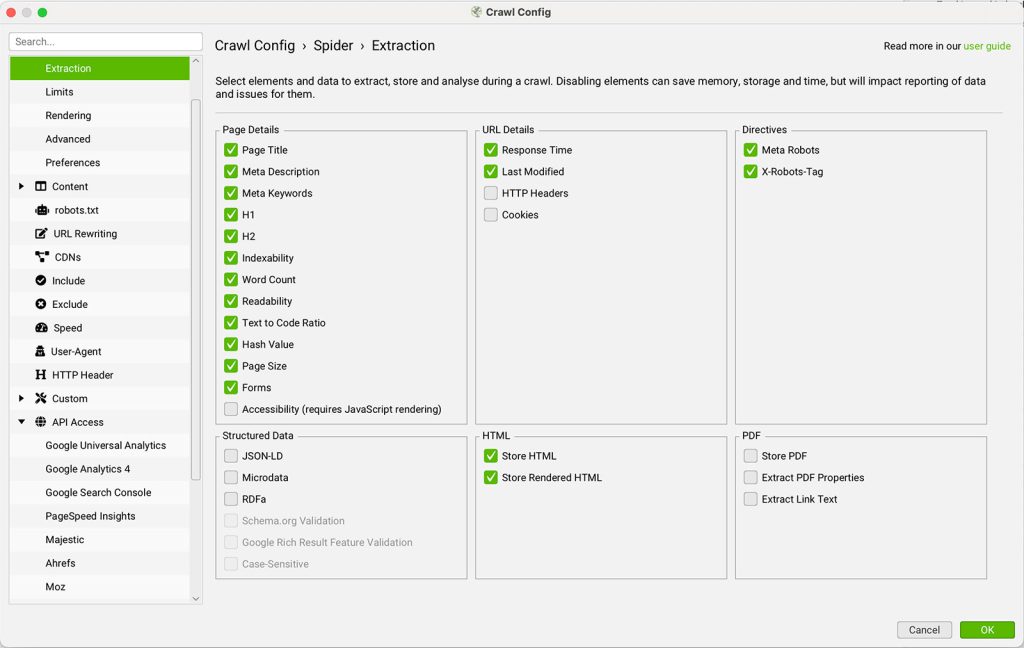
3. Enable the Embedding Integration
Before crawling, go to:
Config > Content > Embeddings
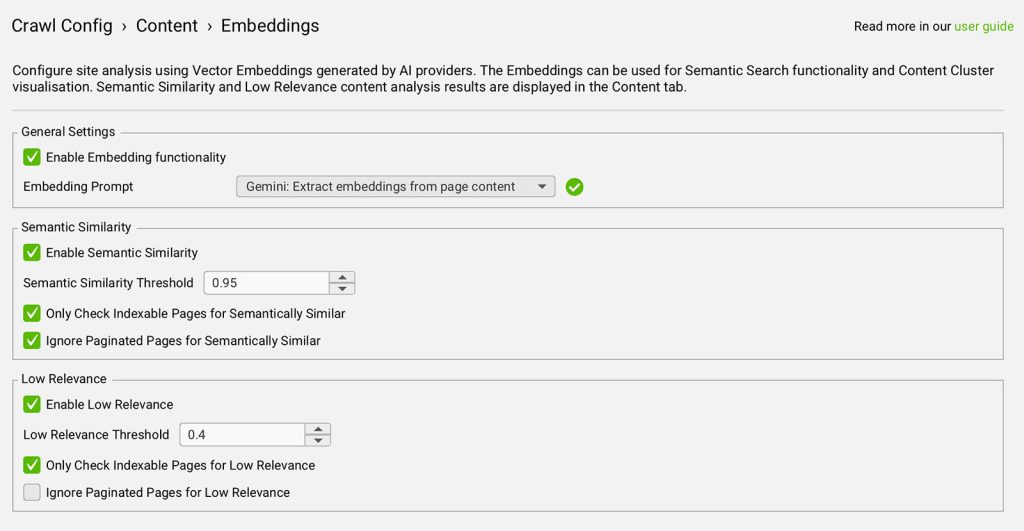
- Check “Enable Embedding Functionality”
- Select your AI provider from the dropdown
- Enable:
- Semantic Similarity
- Low Relevance Content
This unlocks related filters and columns in the Content tab.
Tip for Better Results: Use Gemini for fast and cost-effective embedding generation with high token limits.
5. Crawl the Website
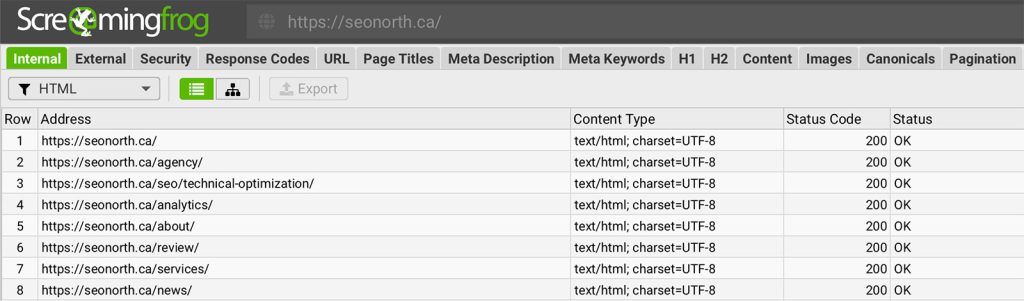
Start your crawl from the main window by entering a URL and clicking Start. As pages are crawled, Screaming Frog sends content to your selected AI model and generates embeddings in real time.
6. Run Crawl Analysis
After crawling completes, run crawl analysis to populate semantic filters:
Crawl Analysis > Start
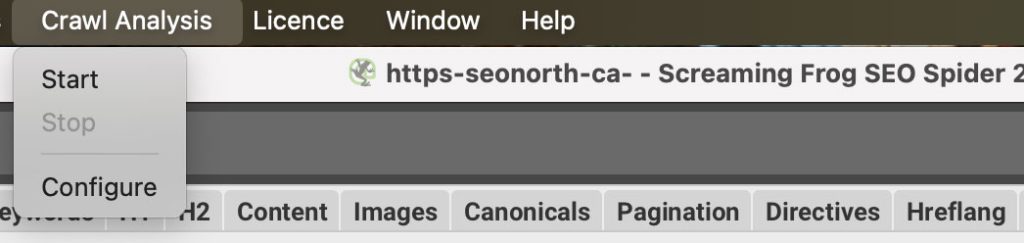
To automate this step in future crawls:
Crawl Analysis > Configure > Auto-Analyse at End of Crawl
7. View Semantically Similar and Low-Relevance Pages
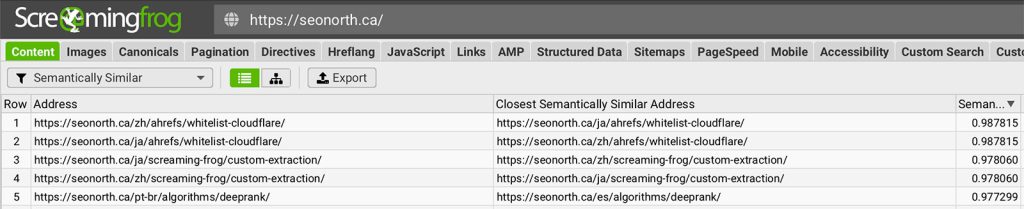
Head to the Content tab and review two key filters:
- Semantically Similar: Shows pages with high content overlap based on meaning
- Low Relevance Content: Highlights pages that are semantically distant from your site’s overall theme
Tip: Adjust similarity thresholds under Config > Content > Embeddings to better suit your site’s niche.
Each URL will include a similarity score (0–1). Higher scores indicate more semantic overlap.
8. Export and Take Action
Bulk export all semantically similar pages:
Bulk Export > Content > Semantically Similar
Use this data to:
- Merge duplicate content
- Improve internal linking
- Refine page intent to avoid cannibalization
Tip: Use semantic similarity to map URLs during migrations or to discover opportunities for redirecting thin pages.
Optimization Tips
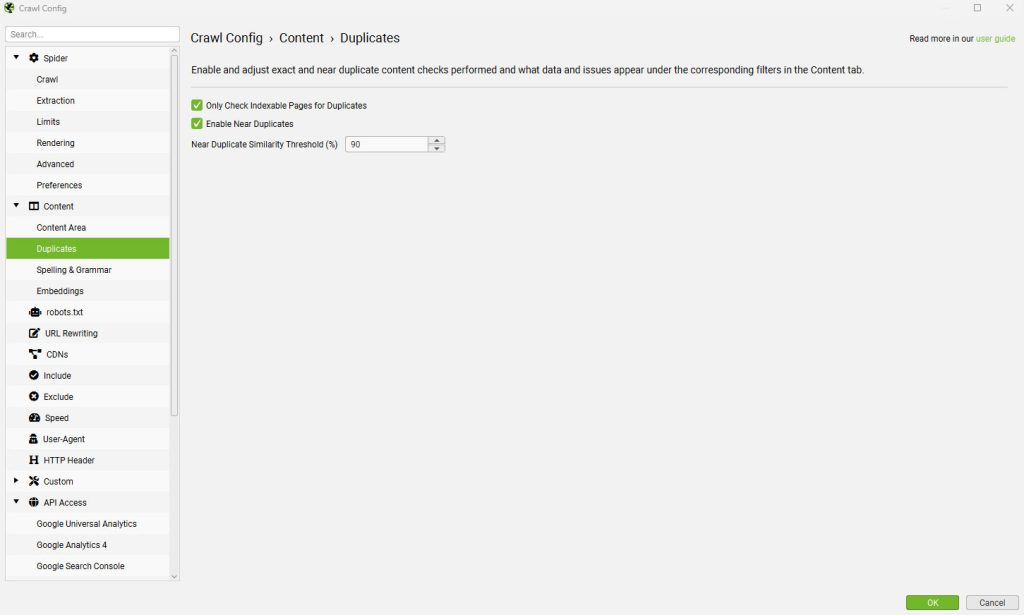
Investigate in Duplicate Details Tab
When a page has multiple semantically similar matches, the Duplicate Details tab reveals them all. This view also shows the exact text used for embedding—helpful for spotting structural issues like repeated boilerplate.
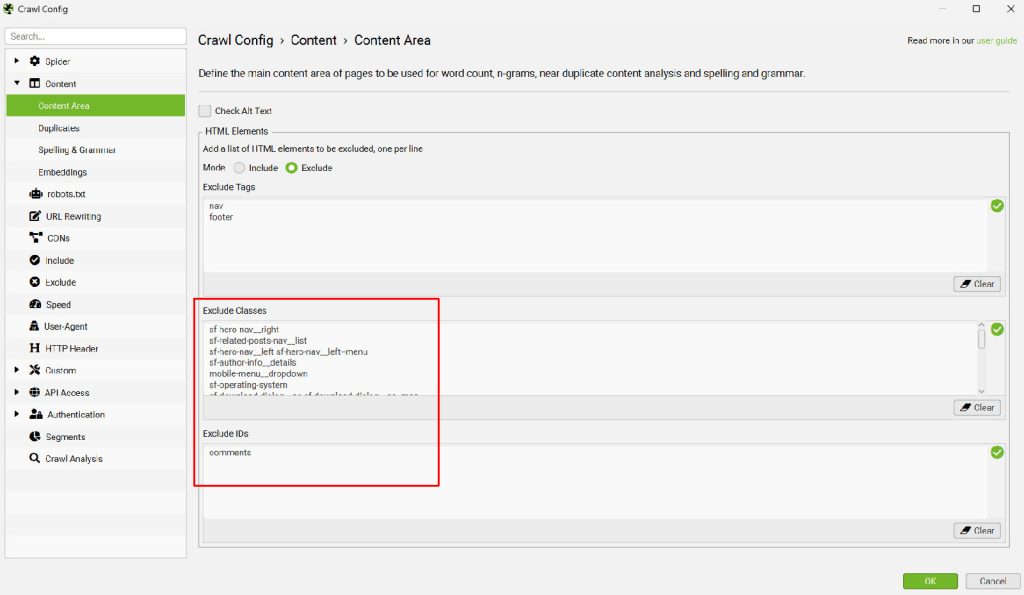
Optimize Content Area Settings
Embedding quality depends on the text being analyzed. Review:
View Source > Visible Content
Then refine:
Config > Content > Area
- Exclude nav, footer, and repeated modal windows
- Focus embeddings on body content
Tip: Clean up repeating sections like cookie notices or phone numbers—they dilute semantic signals.
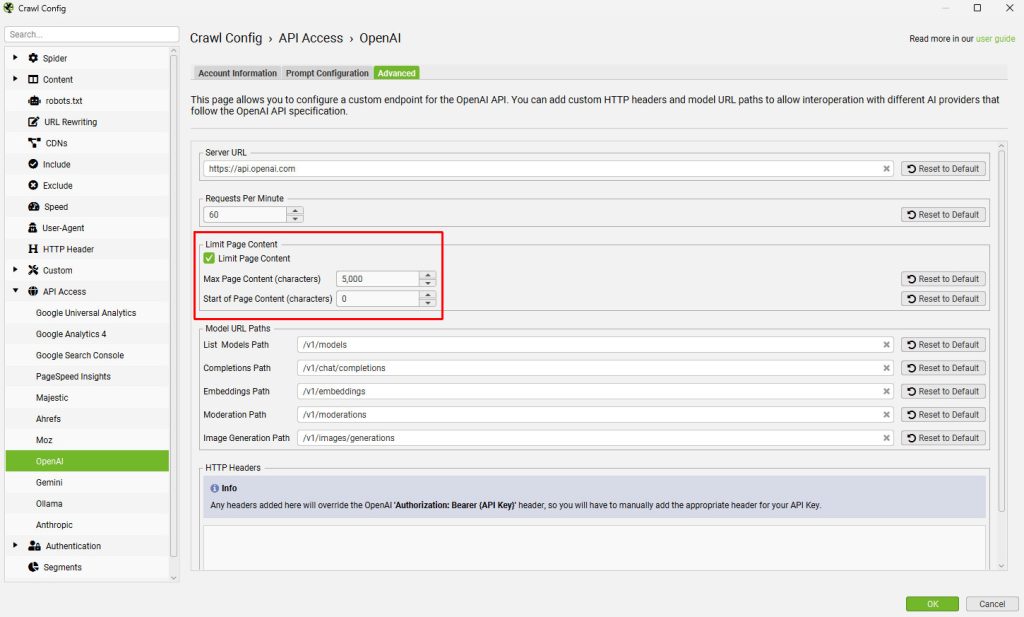
Handle Large Pages Exceeding Token Limits
If you see missing embedding values or 400 token length errors:
- Go to: Config > API Access > AI > Provider > Prompt > Advanced
- Enable “Limit Page Content” to trim content to a safe size (e.g., 5,000 characters)
Re-test using the Test button, then right-click affected URLs in the AI tab and choose Request API Data to retry embedding generation.
Final Thoughts
Screaming Frog’s semantic similarity and embedding features give you a deep, AI-powered look into your site’s content landscape. While not perfect, these tools help surface patterns traditional crawlers miss—giving you the insights needed to prioritize cleanup, improve site structure, and elevate content relevance.
Be sure to pair these findings with human judgment to make smart, impactful SEO decisions.
Looking for more ways to use embeddings? Try analyzing duplicate page titles, clustering blog content, or planning semantic internal link hubs.
Published on: 2025-07-15
Updated on: 2026-07-14
