If you’re looking to streamline your SEO workflow, integrating Gemini AI with the Screaming Frog crawler is a powerful way to automate content analysis and on-page auditing. Whether you’re generating summaries, extracting structured data, or analyzing user intent, Gemini can enhance the depth and speed of your SEO audits.

This tutorial walks you through how to connect Google’s Gemini API to Screaming Frog, set up advanced prompts, and run AI-driven checks in real time. You’ll learn how to use prompt logic, segment targeting, and advanced input sources—giving you intelligent insights that go far beyond traditional search engine crawlers.
How to Integrate Google Gemini with Screaming Frog
To start using Gemini AI within the Screaming Frog SEO Spider, follow the steps below to connect your API key and configure prompts for your crawl.
1. Access Gemini Integration Settings
In Screaming Frog, go to:
Configuration > API Access > AI > Gemini
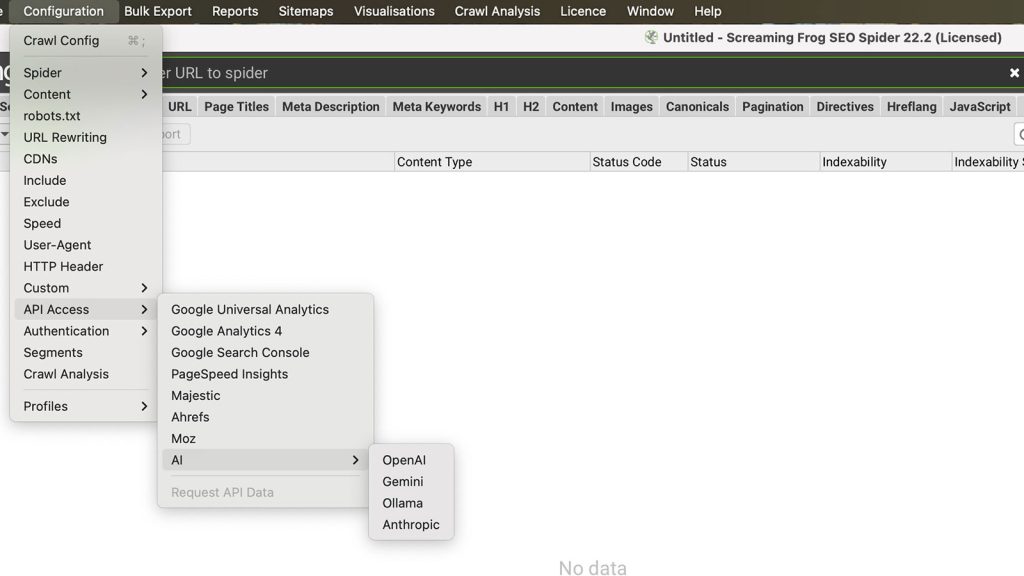
This is where you’ll enter your credentials and manage the Gemini setup.
2. Generate a Gemini API Key
You’ll need a valid API key from Google AI Studio to connect.
- Sign in to Google AI Studio
- Click “Create API Key”
- Choose or create a Google Cloud Project
- Follow the steps to generate your key
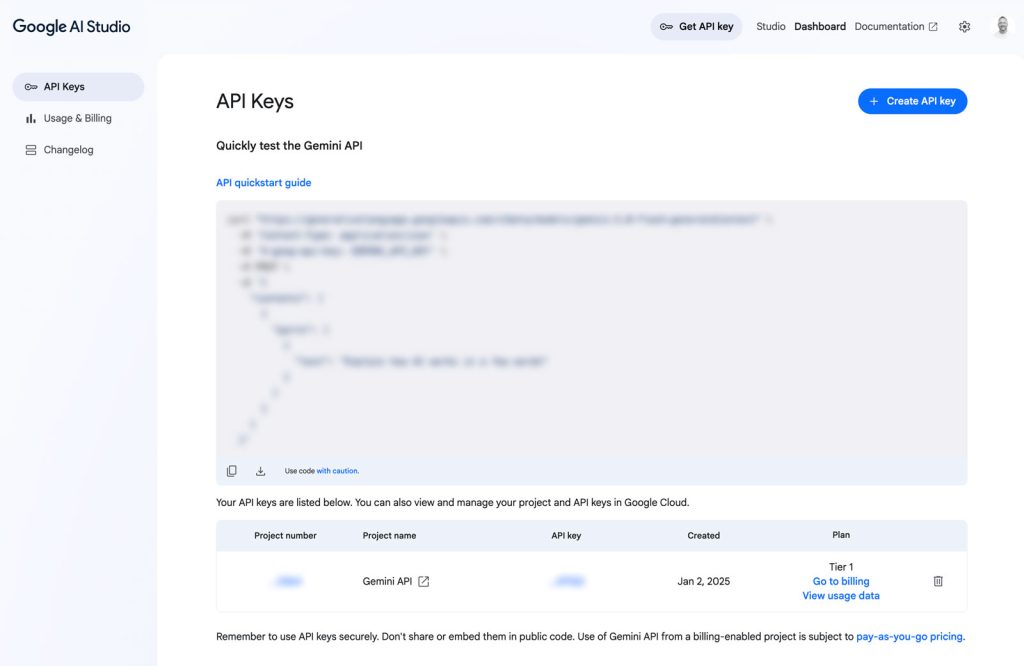
? Note: Gemini is currently available in specific regions. Google offers both free and paid usage tiers, each with their own rate limits and quotas.
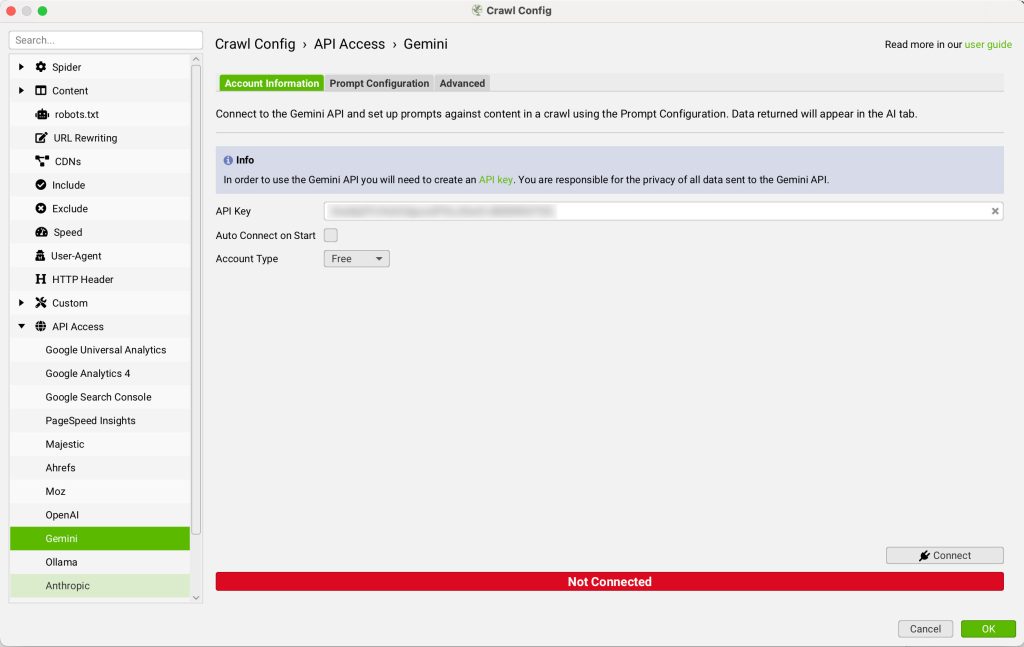
3. Add the API Key to Screaming Frog
Once you’ve obtained your API key:
- Paste it into the API Key field under the Gemini Account Information section for authentication
- Select your account type (Free or Paid) to ensure Screaming Frog adjusts for the correct API limits
- Click Connect to finalize the integration
4. Set Up Your Prompts
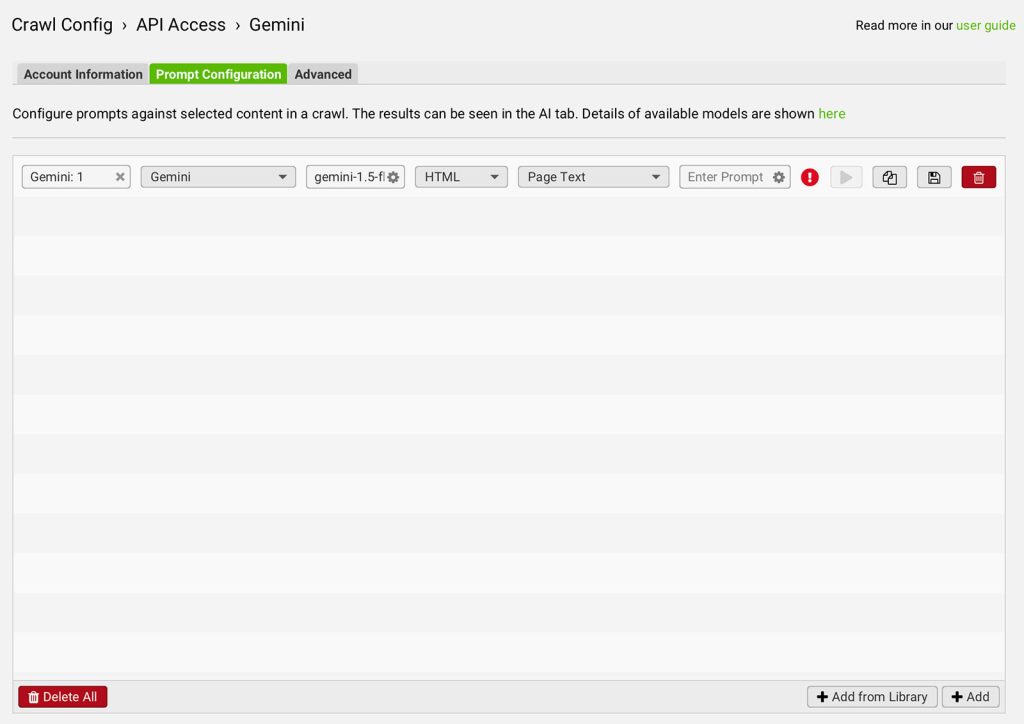
Next, go to the Prompt Configuration tab to define how Screaming Frog will interact with the Gemini API during crawls.
You can configure up to 100 prompts, each tailored to a specific use case.
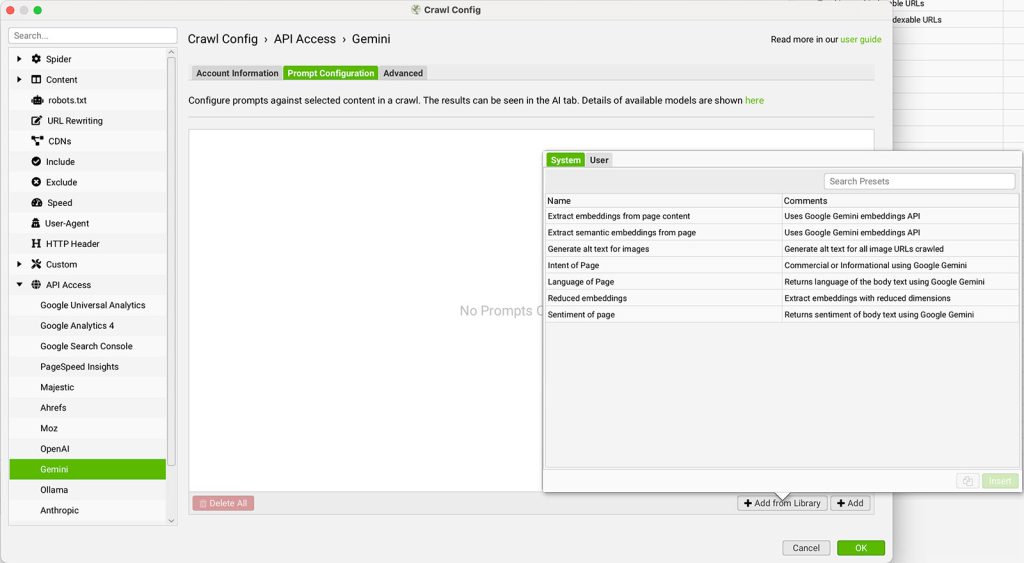
For each prompt:
- Select the model category (Gemini or Embeddings)
- Choose the Gemini model (e.g., gemini-1.5-flash)
- Pick the input source, such as HTML, Page Text, or a custom extractor
- Write the prompt text that defines the AI’s task
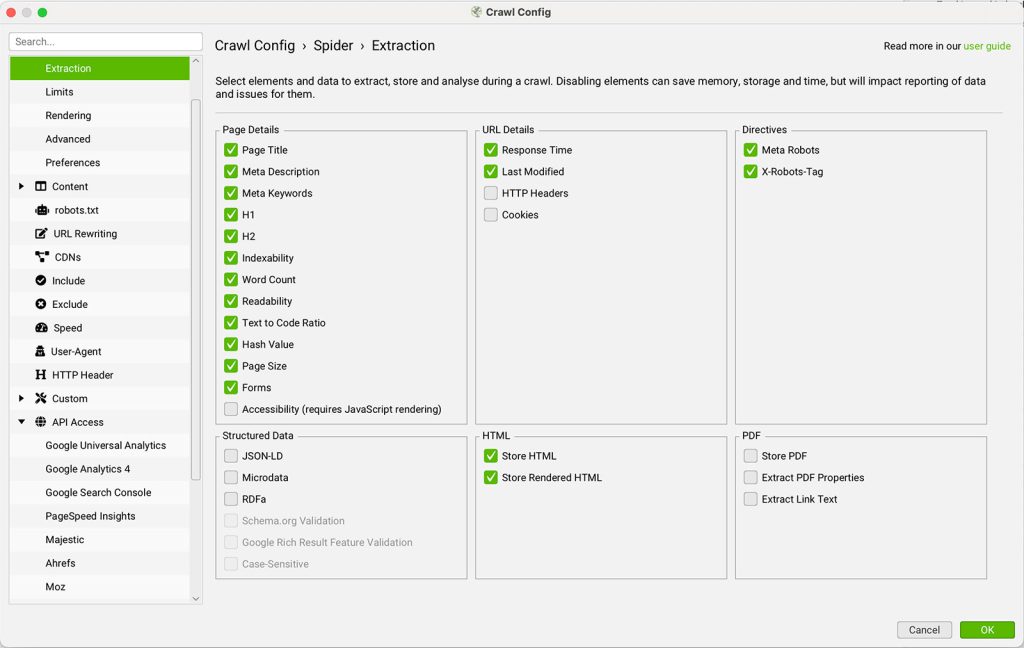
? If using HTML or Page Text as input, make sure to enable Store HTML in: Config > Spider > Extraction
5. Test Your Prompts
Before launching a full crawl, you can preview how your prompt behaves:
- Click the play icon beside the prompt
- Enter a sample URL in the Gemini Prompt Tester
- Click Test to see both the extracted input and Gemini’s response
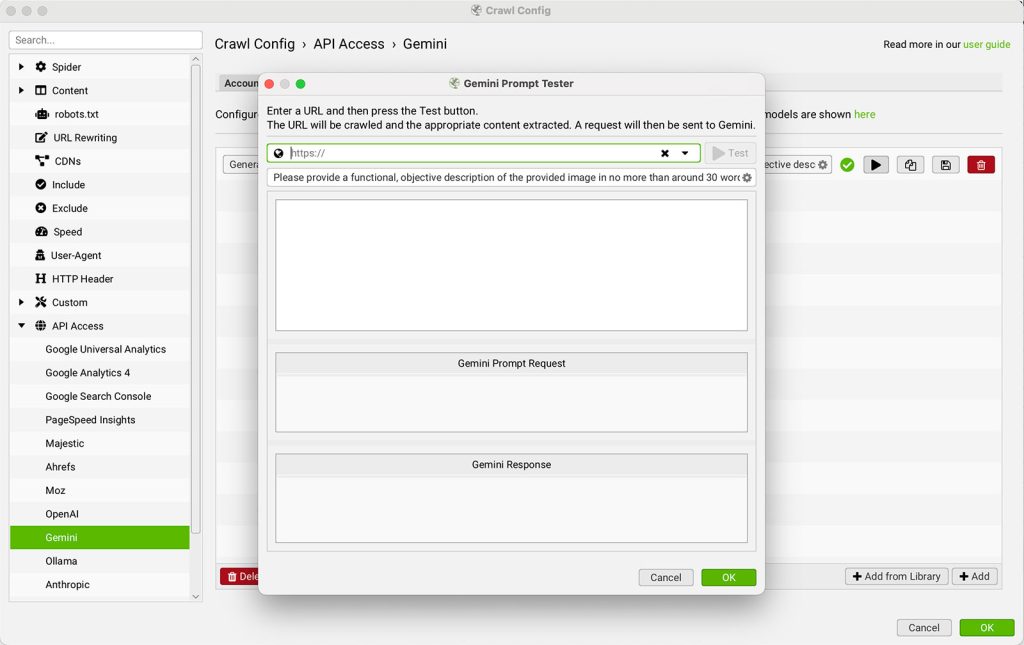
This helps ensure the prompt returns accurate, relevant output.
6. Crawl and Analyze
Once your prompts are configured and tested:
- Start your crawl by entering a URL and clicking Start
- As pages are processed, Screaming Frog will send selected content to Gemini based on your prompts
The results will be displayed in the AI tab, with prompt data also available in the Internal tab alongside your crawl metrics.
7. Use and Customize Prompt Templates
To speed things up:
- Use the Add from Library button to explore built-in prompt examples
- Click the Prompt Configuration tab and use the + Add icon to add and manage your own custom prompts
- Prompts can also be exported or imported for reuse across different projects or teams
Conclusion
By integrating Gemini with the Screaming Frog SEO Spider, you’re not just crawling websites—you’re enabling intelligent automation that can transform how you approach an SEO audit. From advanced n-gram evaluations to dynamic meta content generation, this setup turns your crawler into a real-time AI assistant.
With Gemini prompts running in tandem with your technical checks, you can uncover deeper insights faster, prioritize fixes with precision, and optimize at scale. Whether you manage content for a large enterprise site or consult on high-performance search engine strategies, this integration adds significant value to your automated SEO workflows.
Published on: 2025-07-15
Updated on: 2026-07-14
